Translate Studies
Last updated: November 11, 2026
With Rally, you can create studies in 16 languages to run research around the world: Czech, Dutch, English, French, German, Hindi, Italian, Japanese, Korean, Polish, Portuguese, Portuguese (Brazil), Romanian, Slovak, Spanish, Turkish.
When you select a study's language, Rally automatically translates its own text into that language. This includes participant web pages, default screener endings, question instructions, the uneditable parts of emails, and the Rally text on consent forms. You translate anything you write yourself: the external study name, screener and survey questions, scheduling text, emails, and the welcome page. Use the Preview buttons in the study builder to check your work as you go.
Prepare translated content ahead of time
Save your team time by preparing these in each language before you build the study:
Consent forms and documents: create translated versions under Templates > Consent Forms and Documents. Rally doesn't translate the content you write or upload.
Question templates: create translated questions so you can build screeners and surveys quickly. Rally doesn't translate questions, descriptions, or response options.
Email templates: create translated templates for each email your study sends (see Messages below for the list).
Create a study in another language
Go to Studies and select + New Study in the top right, then Create from scratch.
Enter an Internal study name, choose the study type, and select the Language.
Include the language in the internal study name, for example "New Feature X Feedback - Q3 (Spanish)", so your team can tell translated studies apart.
Plan
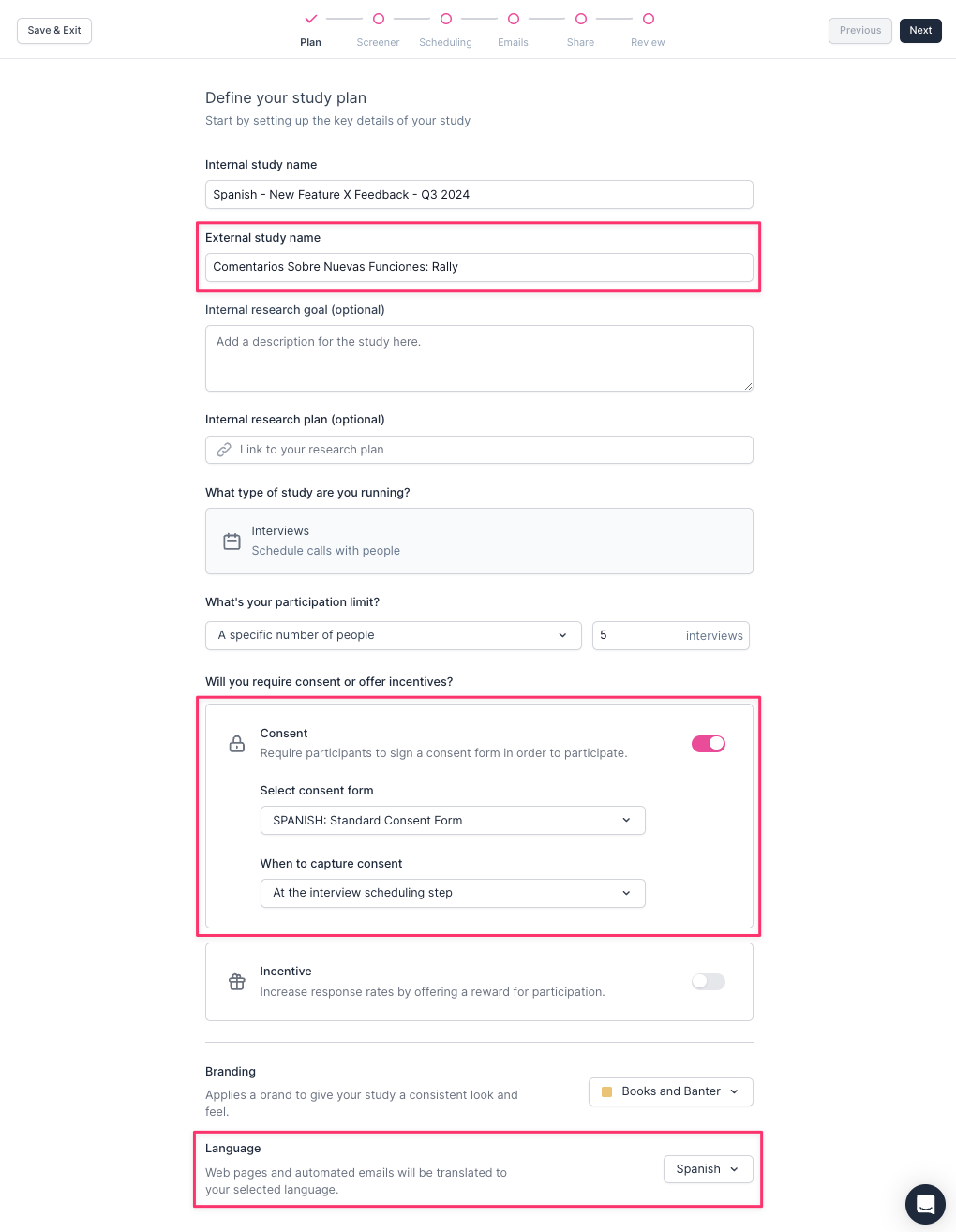
Confirm the Language is correct. This is what Rally uses to translate the study.
Translate the External study name.
If you require Consent, select a consent form that's already translated. Rally translates its own text on the consent page (name and email labels, the document agreement checkbox, the signature line, and the Submit button), but not your consent form content or attached documents.
If your organization has a different brand for each country or language, select the right one under Branding.
Screener or Survey
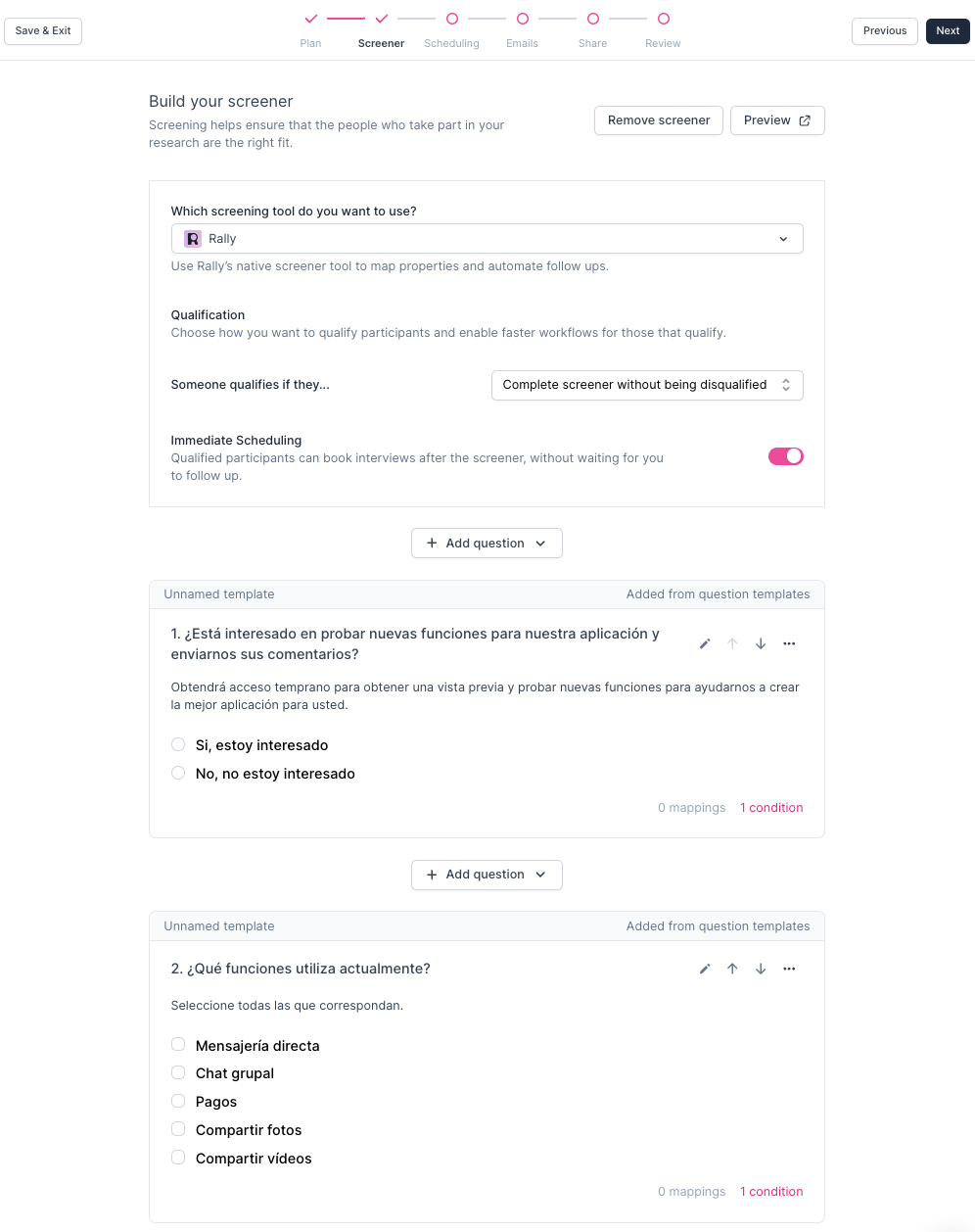
Translate every question, question description, and response option yourself. Question templates prepared in each language make this faster.
Rally translates its own question instructions, such as the date picker calendar, date formats (for example, dd.MM.yyyy for German), and the placeholder text in short text and number fields.
Rally also translates the default screener endings, both for participants and in the editor. You can edit them to customize the message.
If your survey study uses an external survey tool (like Qualtrics, SurveyMonkey, Typeform, or a custom link), translate the survey in that tool.
Scheduling
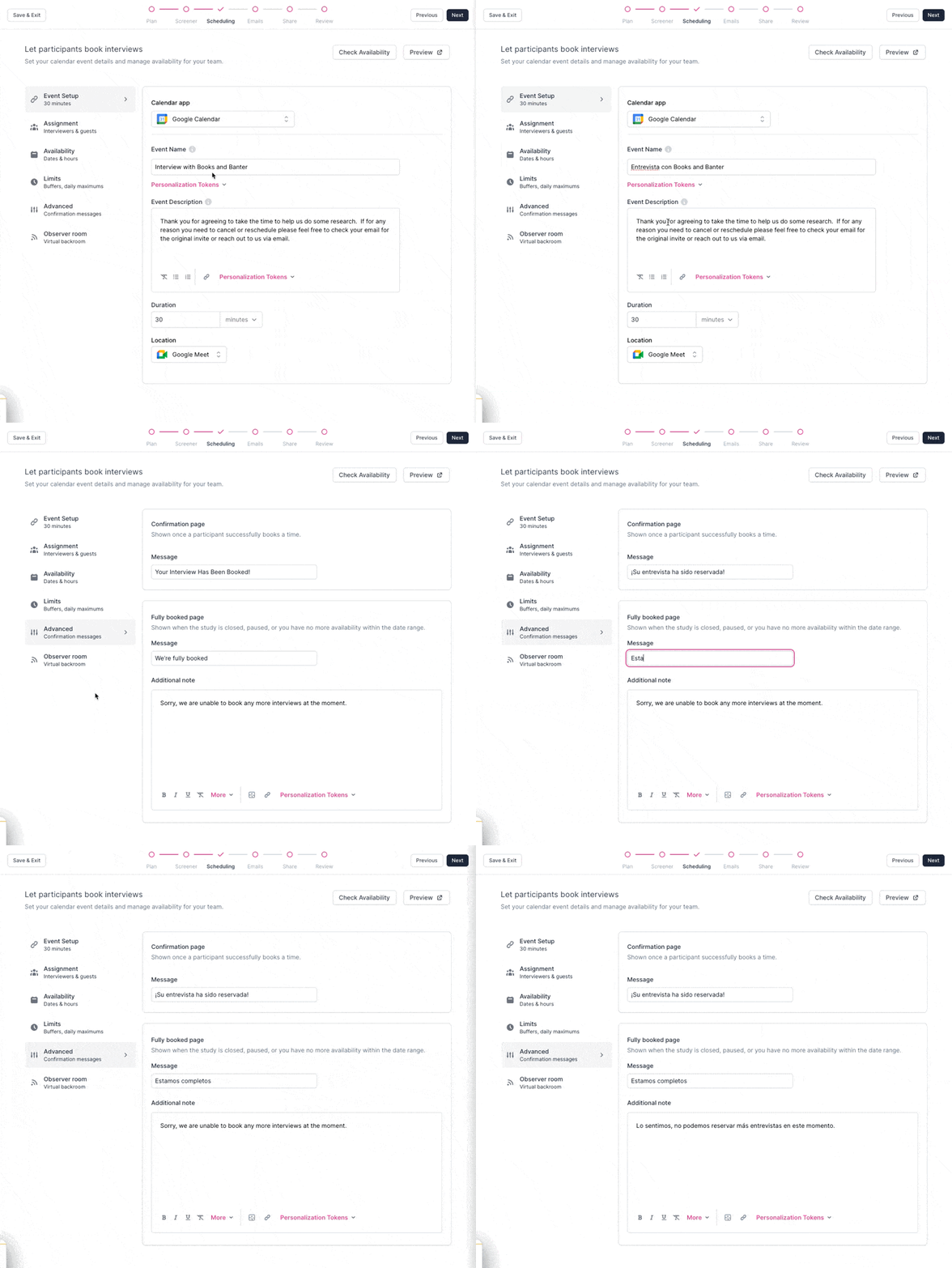
For interview and group interview studies, translate the text you write in the scheduler:
In Event Setup: Event Name and Event Description.
In Advanced: Confirmation Page Message, Fully Booked Page Message, and Additional Note.
Select Preview to see the scheduler as participants will.
Test
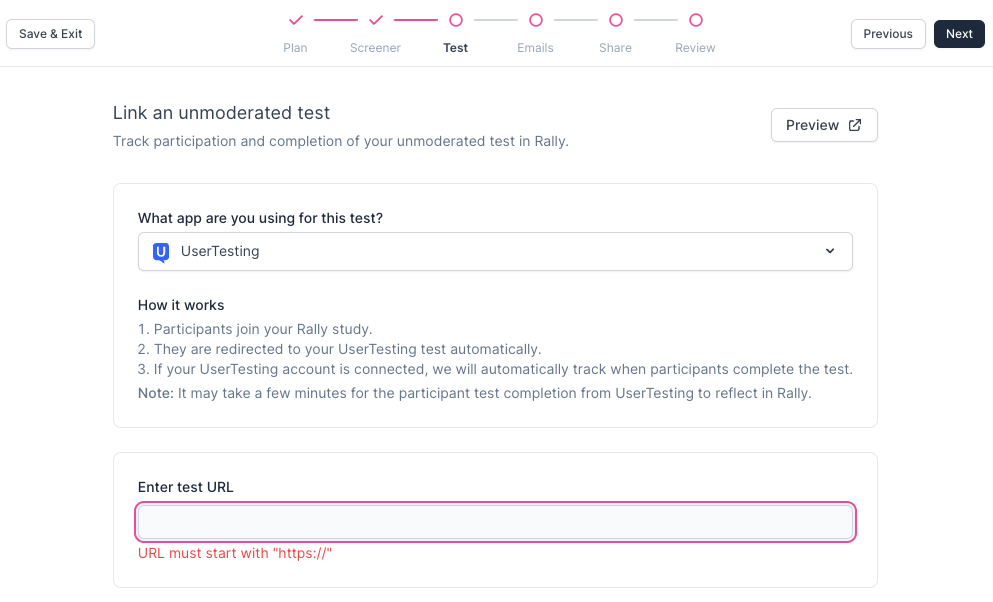
For unmoderated test studies, make sure the test itself is already translated. Select your testing tool and enter the URL of the translated test.
Messages
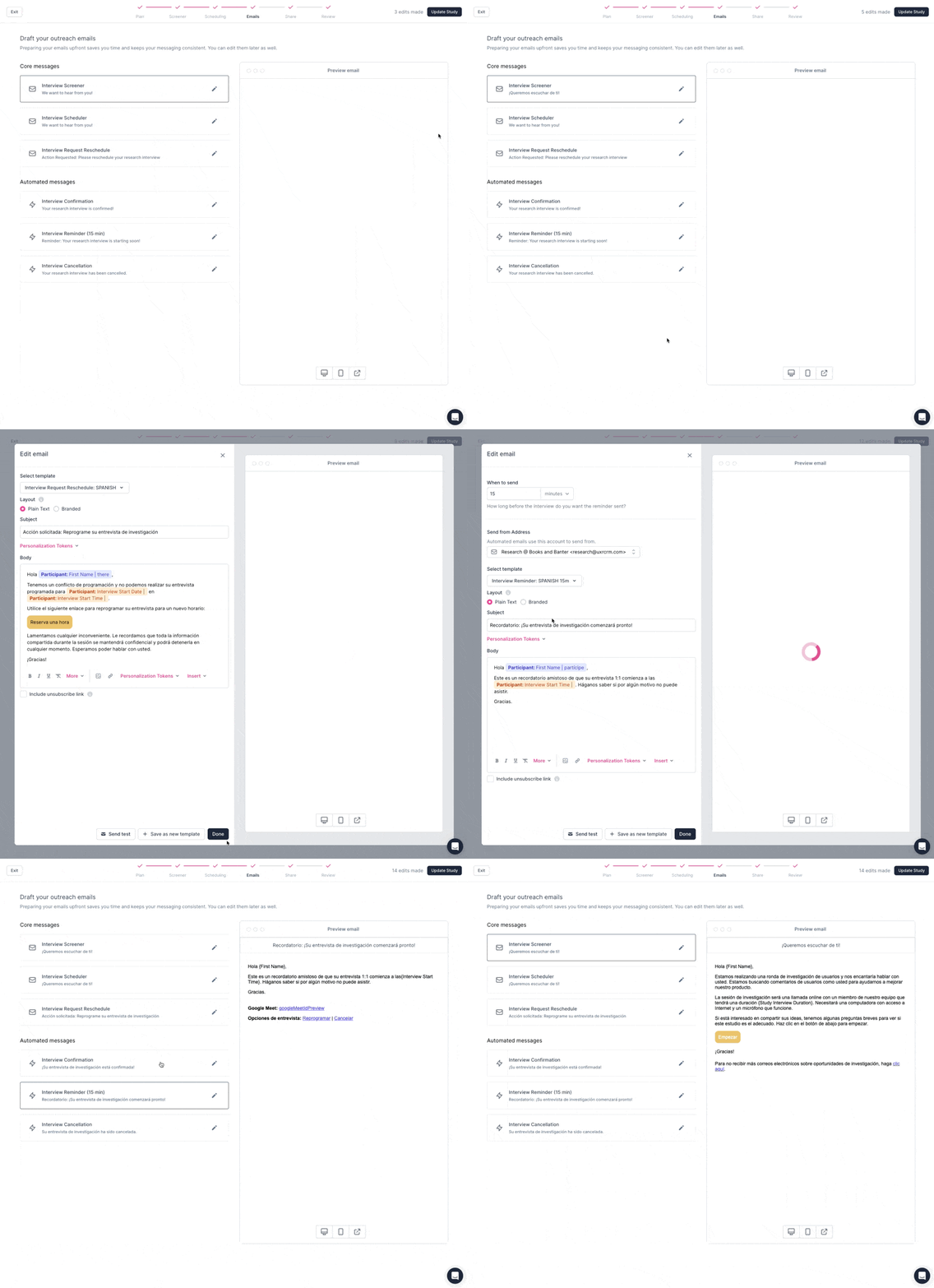
Your team translates study emails. Prepare translated email templates ahead of time and apply them in the Messages step. The templates you need depend on the study type (interviews, group interview, survey, or unmoderated test). Create translated templates for these email types:
Interview Screener
Interview Scheduler (also used for group interviews)
Interview Request Reschedule
Interview Confirmation
Interview Reminder
Interview Cancellation
Unmoderated Test Screener
Unmoderated Test
Survey
Incentive
Consent Request
Cosigner Request
Standby Moved to Primary
When you translate emails in the Messages step, update every field, including button text in the email body (select the button to edit its text).
Rally automatically translates content you can't edit, such as the reschedule and cancel links in interview emails and personalization token values like interview start date, start time, and length.
Share
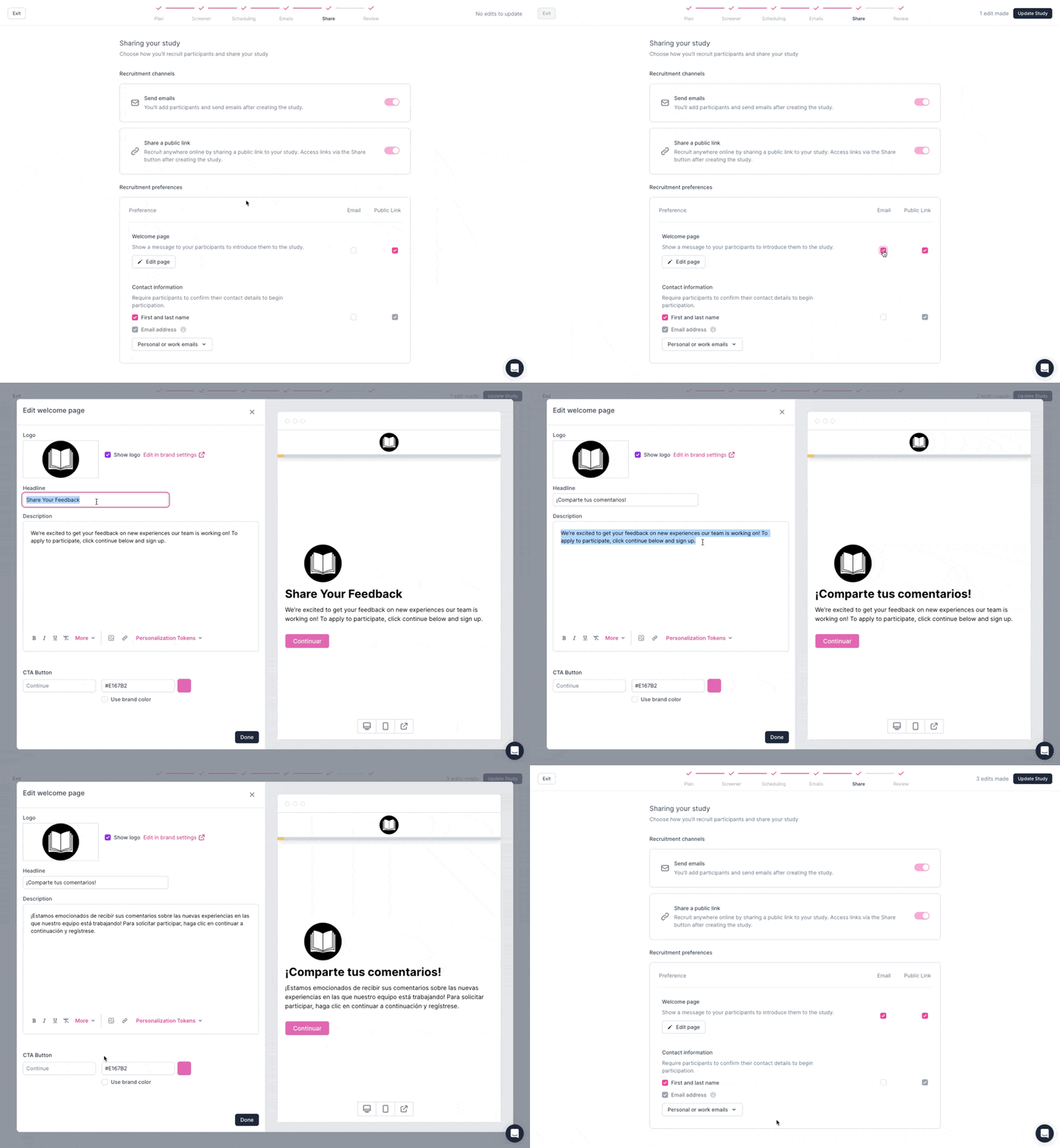
If you turn on a Welcome Page for email invites or share links, select Edit Page and translate the Headline and Description. Rally translates the default button text automatically. If you changed the button text, translate it too.
Review
Before you create the study, use the Quick previews links to check each part of the participant experience in the selected language. Then select Create Study. To manage your study after that, see Manage studies.