Lite Seats
Last updated: September 15, 2026
What is a Lite Seat?
A Lite Seat is a lightweight access tier designed for teammates who need to use the Rally Agent without a full Rally Research license.
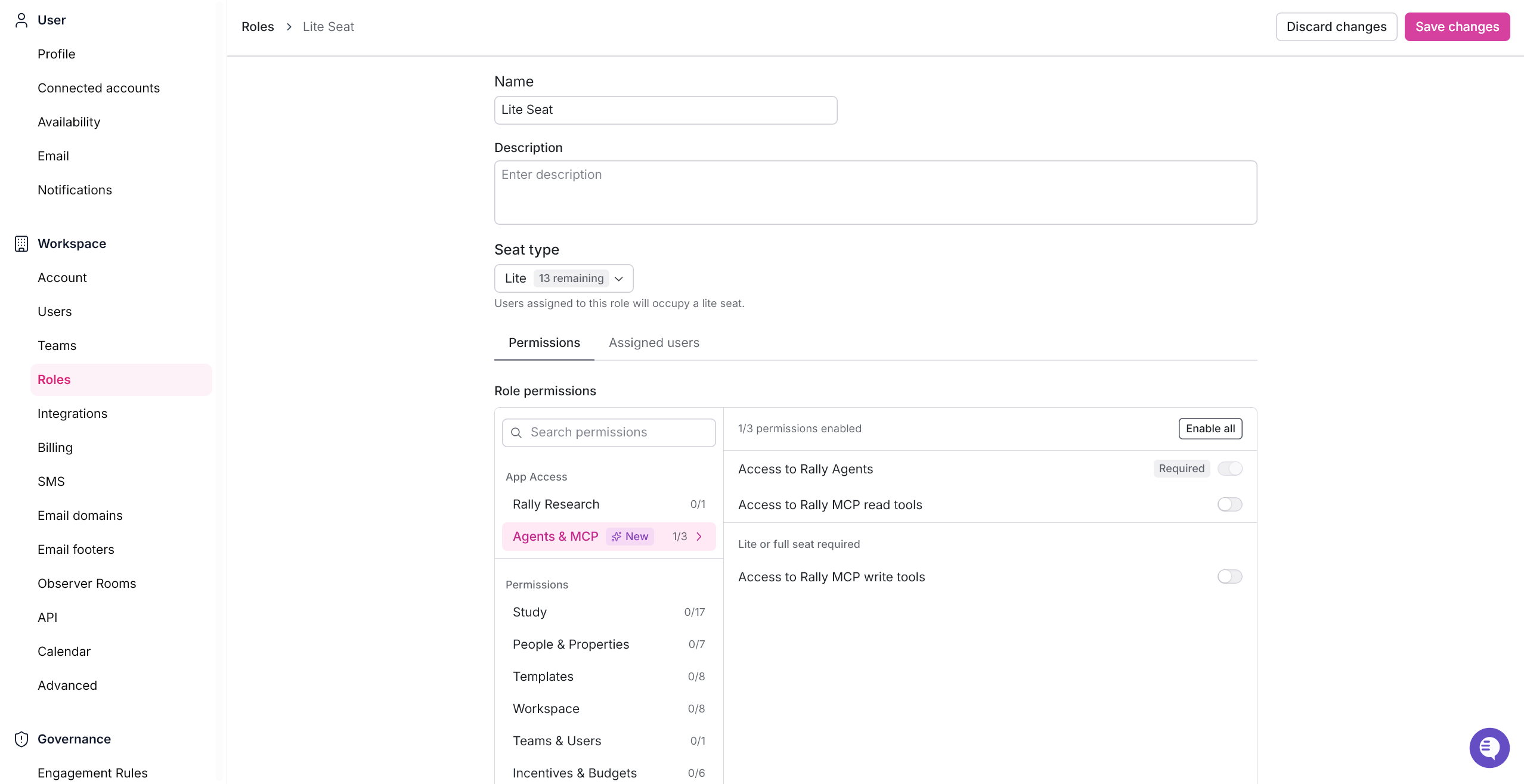
Lite Seat users get Rally Agent access by default, and it can't be turned off. Admins can layer on additional permissions as needed within what a Lite Seat allows.
Rally Agent access on a Lite Seat role can't be disabled, it always shows as Required in the role editor, but it still depends on your workspace having Rally Agent enabled. If your workspace doesn't have Rally Agent, that permission shows as Unavailable instead, and Lite Seat holders only get read-only MCP access rather than the full Agent experience.
Workspaces start with no Lite Seats allocated. To get Lite Seats for your workspace, reach out to your Customer Success Manager.
What a Lite Seat can and can't do
Lite Seats are built for people who want to run their own research through the Agent, using templates and guardrails the team has already set up, rather than administering the workspace itself.
What Lite Seat users can do
Use Rally Agent to set up and manage research
Launch studies from an existing template
Schedule, reschedule, and manage interviews
Send participant emails and reminders
Send incentives, including one-off custom incentives
Everything a Free Seat can do, like viewing and collaborating on studies, panels, and screeners they're part of
What Lite Seat users can't do
Build a study from scratch. Studies have to start from a template, which keeps things within the boundaries the template was built for
Change workspace-wide settings like governance rules, participant blocklists, or cooldown periods
Manage other users, roles, teams, or billing
Create or edit shared workspace assets, like custom properties, populations, brand settings, or study templates
Merge or delete people in the workspace's contact directory
Manage incentive budgets or move funds between them
Build dashboards or reports
Change workspace-wide observer room settings
Export data for the entire workspace
Read-only access to Rally's MCP tools isn't a Lite Seat perk specifically. Anyone in the workspace can connect and read Rally data through MCP, as long as their role allows it, with no seat purchase required. What a Lite Seat adds is the MCP write access, meaning the ability to take actions and not just view data.
Creating a Lite Seat role
Before you can invite anyone to a Lite Seat, you'll need a new role set up for it.
Navigate to Settings > Roles.
Select + New Role on the top right of the screen to start creating your Lite Seat role.
For new roles, switch the seat type from Free to Lite.
Rally Agent access is turned on automatically. Enable any additional permissions you want this role to have.
Once you've completed setting up your Role permissions, select Save Changes on the top right of the screen to create the Lite Seat role.
Inviting a new Lite Seat user
Navigate to Settings > Users.
Select + Add User.
Enter their email address.
Add multiple new users simultaneously with the same Teams membership and Role type by selecting + Add another and entering additional email addresses.
Select + Add teams to select at least one team to assign the new user(s).
Select your Lite Seat role to assign the role and preview the assigned permissions.
Once you're ready, select Create & Invite to finalize your changes.
The user will receive an email invitation to join Rally Agent. The invite includes a short description of what they're joining, along with the name of the person who invited them.
What the user sees
Once the user clicks Join Rally Agent in their invite email, they're brought into the Rally Agent onboarding experience.
They'll then be required to fill out the following information:
What's your full name?
What best describes your work?
What's your default team?
New studies you create are added to this team by default.
If they were only added to a single team, they'll skip the team selection step. If they were added to multiple teams, they'll be asked to pick one.
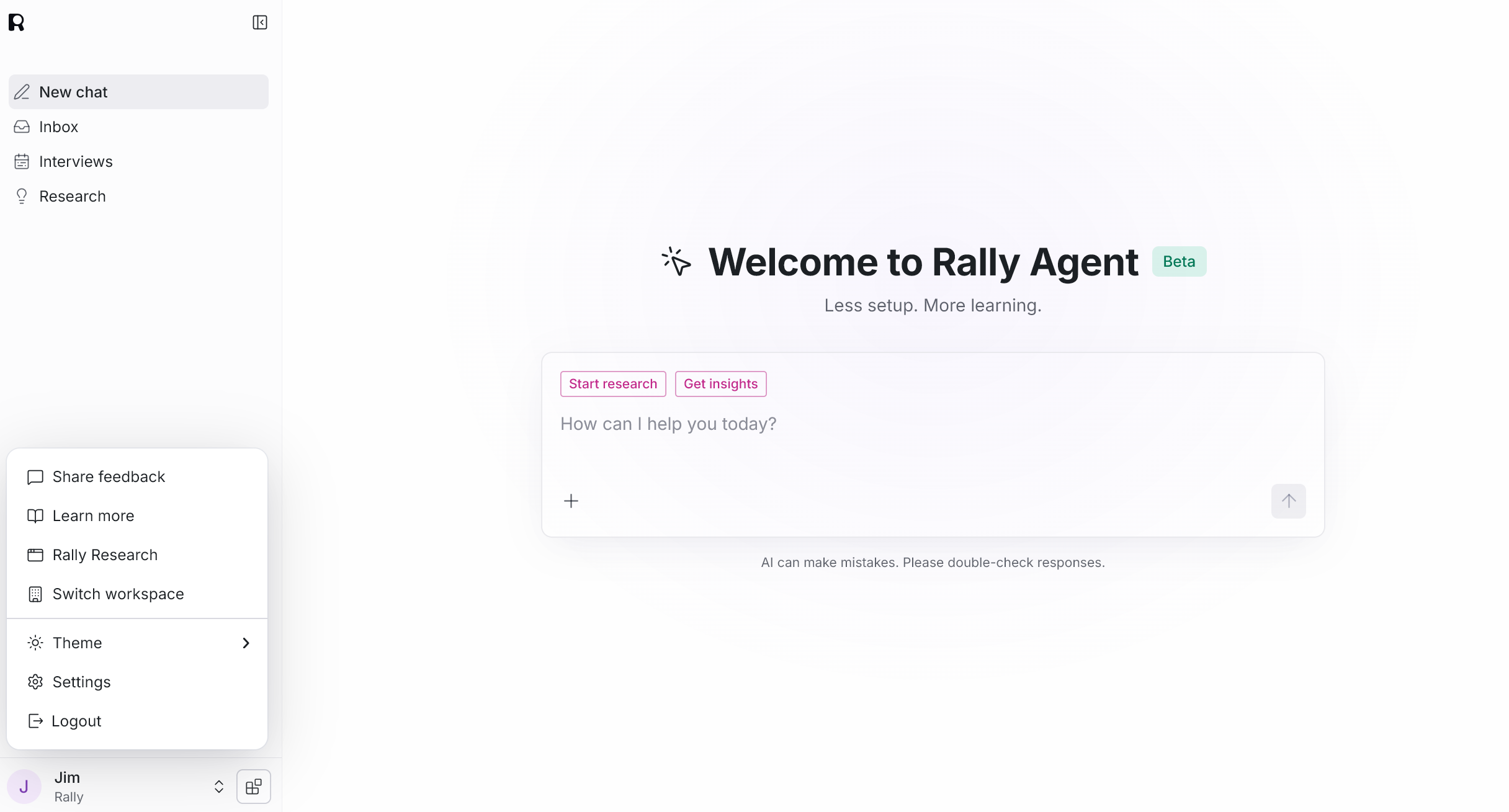
By default, Lite Seat users start in Rally Agent. If their role also has access to Rally Research, they can switch over from there by clicking on their name in the bottom left corner of the screen.
FAQs
Can a Lite Seat holder send outreach from their own email address?
Not automatically. Automated study emails (invitations, confirmations, reminders) send from the workspace's default brand sender, not the individual's personal address. Switching a study to a personal sender requires an admin-level permission that Lite Seats don't have.
Does a Lite Seat include full Rally Research access?
No. Lite Seats get limited Rally Research access by default, mainly for viewing and light collaboration.