Quick Start Guide: Participant Ratings, Person Profiles, and Property Groups
Last updated: February 3, 2026
This guide will help you get up and running with the newest tools for improving participant quality and data organization in Rally.
This release introduces two major upgrades:
Participant Rating & Person Profiles
Property Groups, Descriptions & Smart Filtering
Below is everything you need to know and what we recommend your team does next.
Participant Ratings
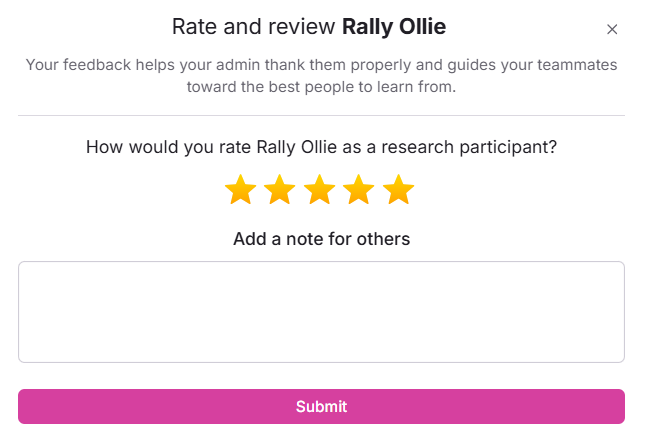
After each research session, your team can now rate participants based on the quality of their feedback. Participants with higher ratings will be easier to identify and prioritize for future research.
What it’s for
Spotlighting the most thoughtful, reliable contributors
Prioritizing high-performers when multiple participants qualify
Building stronger cohorts over time
Rating your participant is as easy as clicking the Rate & Confirm Attendance button on the Interviews > Past page of any of your studies. Once rated, the participant's total rating will show on the Person Profile while their individual ratings will show under the Notes tab.
Our Recommendation
Establish a rating criteria that can be used across your team for consistency.
For example: participants who show up on time, share detailed feedback, and use your product daily could equate to 5 stars.
For more details, check out our full guide on Participant Ratings.
Slack Reminders (Recommended!)
Each user can enable Slack reminders to ensure your team captures reliable data consistently and quickly. Some of the main uses for Slack reminders are:
Confirming attendance after sessions
Adding participant ratings
Sending incentives promptly
Our recommendation
Make sure your team knows when and how to rate participants.
Encourage everyone to turn on Slack reminders to build the habit.
Person Profile
To support faster decisions and less context switching, the person profile now presents the most important information upfront in a clean, streamlined layout. You’ll see:
Participant Rating & Show Rate
Contact information & Cooldown status
Upcoming interviews & Active Studies
Property & Governance data
Study, Screener, Consent, & Incentive history
Everything your team needs to evaluate a participant is now easier to scan and understand.
No action required, just start using the new profile! We recommend reminding your team to take a look at the new profile design before running their next study so they can get used to the new layout.
Property Groups & Descriptions
Property Groups
Admins can now create groups of properties and assign them to different teams. This helps:
Keep sensitive data restricted
Reduce visual clutter in filtering tools
Ensure teams only see fields relevant to their research
Property Groups can be created on the Settings > Data > Properties page. When creating a property, you'll be able to define the following:
Name
Description
Population Visibility
Any properties within a group that are restricted to specific populations will only be visible to team members who have access to those populations.
For more details, check out our full guide on Property Groups.
Property Descriptions
Admins can now add descriptions to any property. These descriptions are great for onboarding new teammates and creating shared understanding. Descriptions can include information such as:
What it represents
Where it comes from
When or how it should be used
Property descriptions can be added and edited on the Settings > Data > Properties page by clicking the three dots (...) next to any existing property.
Our recommendation
Reorganize your existing properties into groups. This won’t change filtering behavior, it simply makes filtering cleaner, faster, and easier for your teams. We strongly recommend:
Grouping properties by theme (Ex: Demographics, Product Data, Events)
Assigning property groups to relevant populations
Adding descriptions to any field that may be unclear
Summary of Action Items
To get the most out of these updates, we recommend:
✔ Teaching your team how & when to rate participants
✔ Encouraging everyone to enable Slack reminders for participant ratings
✔ Reorganizing properties into property groups and add descriptions where helpful