Duplicate a Study
Last updated: October 8, 2026
Duplicate an existing study to run continuous research with the same study setup, without having to start from scratch. If you plan to reuse the same study again in the future or want to make it available to your team, you can Create Study Templates.
Studies can be duplicated from the Studies page or in any specific Study Overview.
You must be added as a study owner or be an admin to duplicate a study. Duplicating a study also requires the "Create studies from scratch" permission. This includes the Rally default roles Admin, Ops Manager, or Researcher.
Duplicate a study
Find the study you want to duplicate. Either open it directly to its Study Overview, or find it on the Studies page.
Select the three dots (...) and choose Duplicate (from the Studies page) or Duplicate study (from within the study).
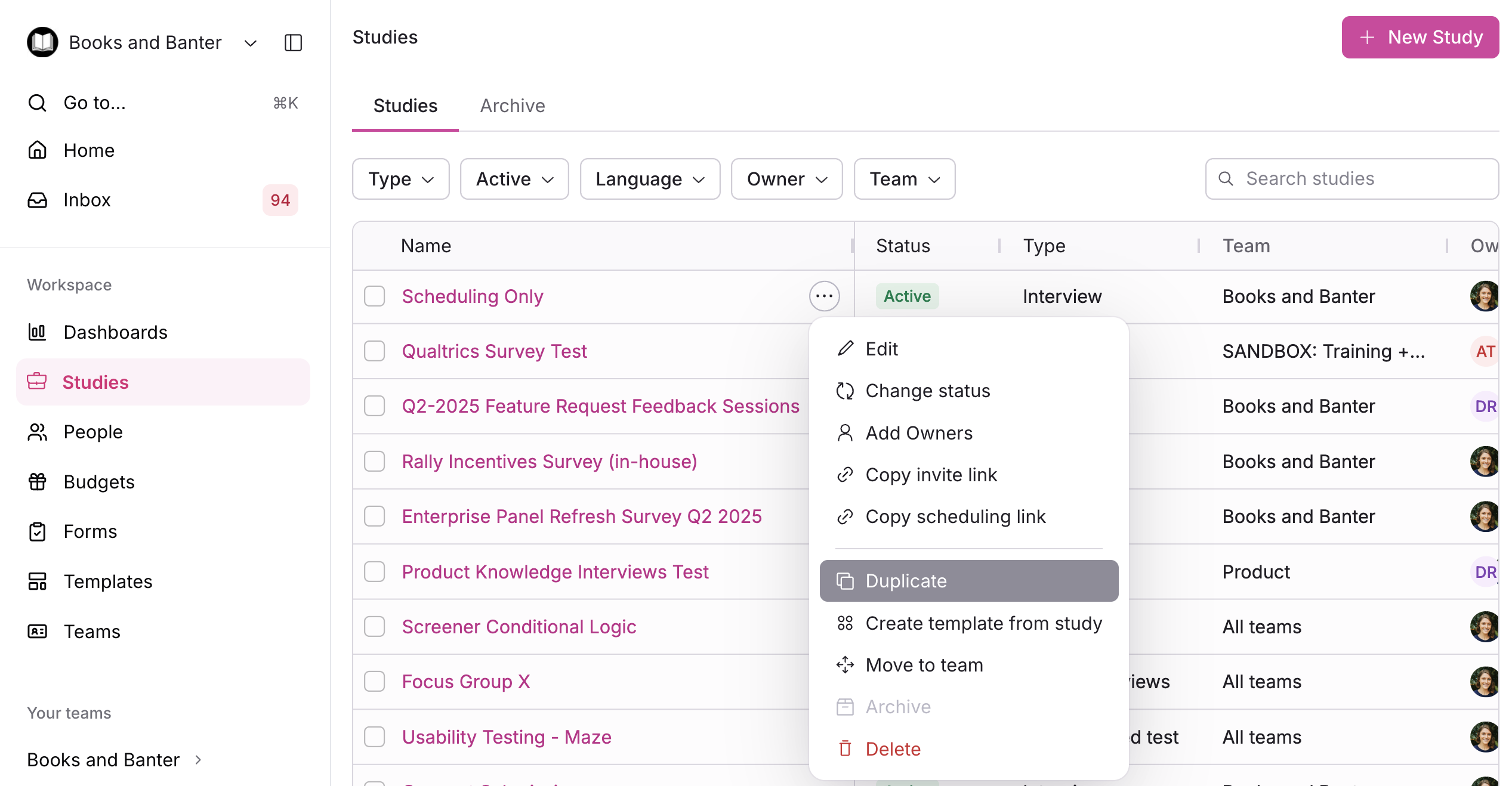
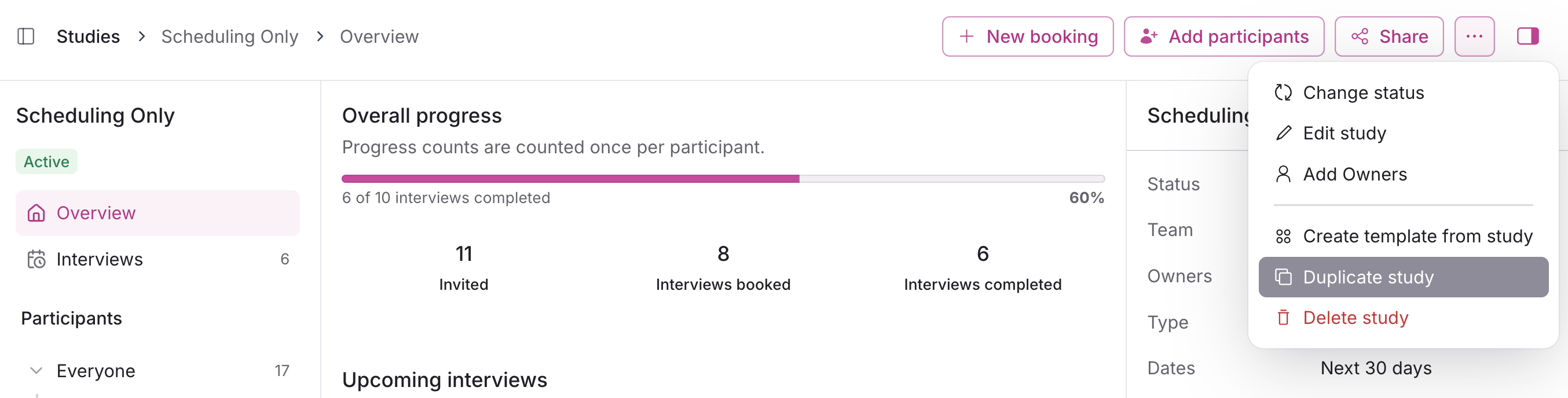
Either way, once you select Duplicate:
In the popup, you can optionally select the Include participants? checkbox to include all participants from the original study in the new duplicated study.
Participants included in the duplicate study will have status "Not Contacted." See Add Participants to a Study for more on managing them from there.
Select Duplicate study to confirm.
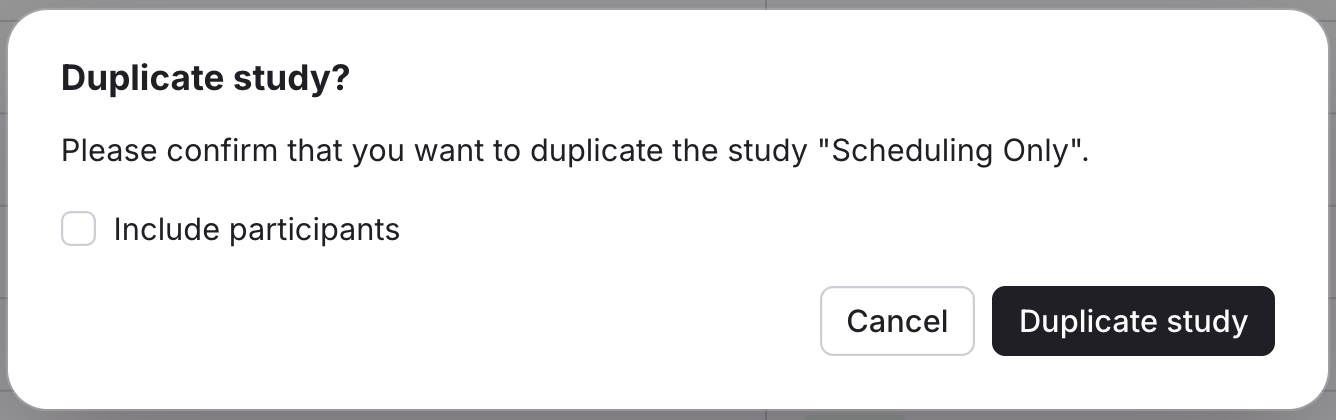
The duplicate will open to the study editor to begin making changes.
The duplicate is created in "Draft" status (unpublished) with the original study's name plus "Copy" appended. For example, "Product Knowledge Copy."