Qualify Participants
Last updated: September 30, 2026
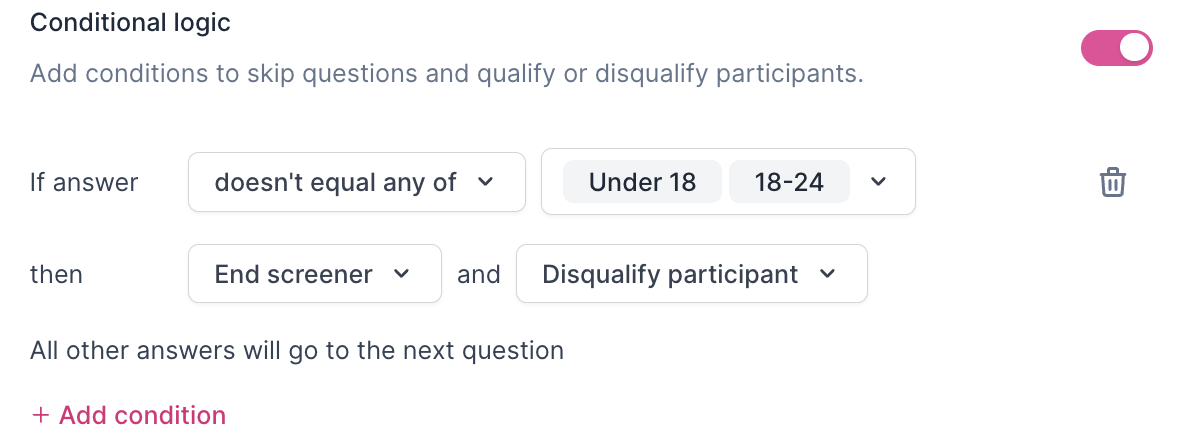
Rally enables you to qualify or disqualify participants based on their responses, ensuring you have the right participants for your research. Reviewing and updating Screener statuses helps streamline your study and improves the research experience for both researchers and participants. Once participants complete the screener, you can review their responses and update their screener status accordingly. You also have the option to auto-qualify participants using conditional logic.
Screeners cannot be submitted twice by a Participant for the same Study. This avoids overwriting original responses or any Participants attempting to bypass a disqualification with an additional submission attempt.
Manually qualify participants
In a study, select Screener Responses from the left sidepanel.
Look for participants with the screener status "Screener Completed." These are the participants whose responses are ready for review.
Hover over a participant's name to select the three dots (...) and View responses to display their screener answers for evaluation.
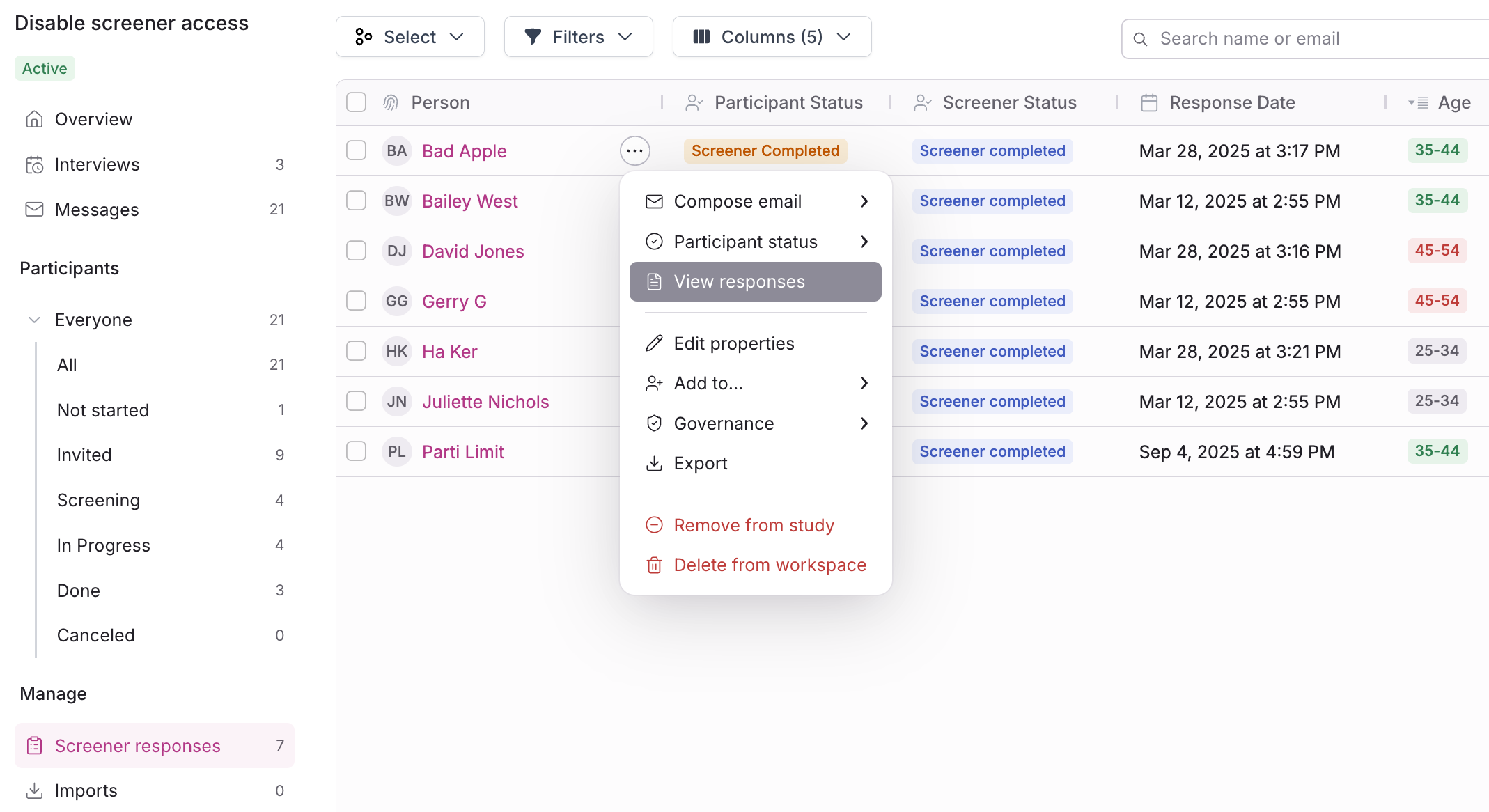
After reviewing responses, hover over their name again to select the three dots (...) and Participant status, and determine based on their responses whether they should be updated to "Qualified" or "Not Qualified."
You can also select multiple participants to update at once in bulk.
In the popup, confirm the status change by selecting Change status.
You can also view a participant's screener responses from their Person Profile or from an Interview Booking. See Screener and Survey Responses.
Auto-qualify participants
Auto-qualifying participants requires setting up Conditional Logic on relevant screener questions. This is what determines whether participants are correctly auto-qualified or auto-disqualified based on the "Someone qualifies if they..." option you set below.
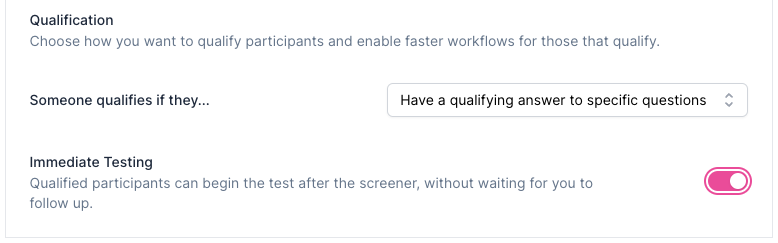
In the Screener step of study setup, choose your preferred qualification method to streamline the workflow for qualified participants. This can save you and your teammates time by not having to manually qualify participants.
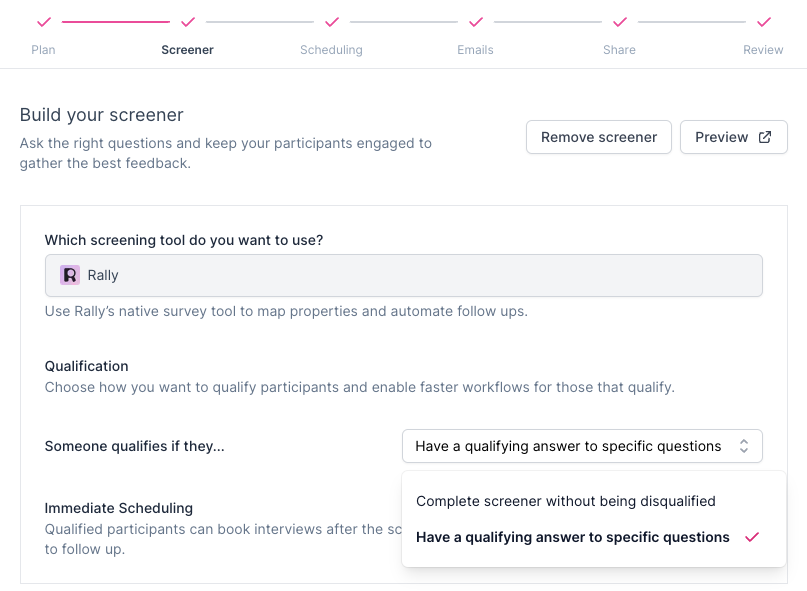
Someone qualifies if they... Decide which rules to follow for auto-qualifying participants. Select an option from the dropdown:
Complete screener without being disqualified: Participants who complete the screener without being disqualified through conditional logic will auto-qualify. (With this option, screeners with no disqualifying question logic set up will qualify everyone.)
Only if they have a qualifying answer to certain questions: Participants who have been qualified based on specific questions using conditional logic will auto-qualify. (With this option, screeners with no qualifying question logic will qualify no one.)
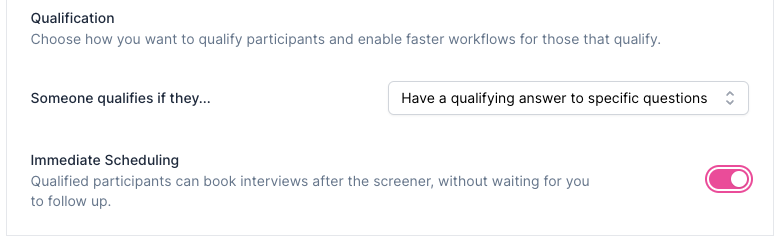
Immediate Scheduling: For interview studies, enable Immediate Scheduling to automatically direct qualified participants to the scheduler page to book time.
Immediate Testing: For unmoderated test studies, enable Immediate Testing to automatically redirect qualified participants to begin the test after the screener.
Qualify participants FAQ
ℹ Why are Participants not being auto-qualified from conditional logic set up on screener or survey questions?
Rally resolves qualification in a fixed order: a matched Disqualify participant condition always wins, no matter what else matched. If nothing disqualifies them, and your screener's "qualify by default" setting is on, they qualify automatically. If that setting is off, a matched Qualify participant condition qualifies them. If none of that applies, they stay in Screener Completed for you to review manually.
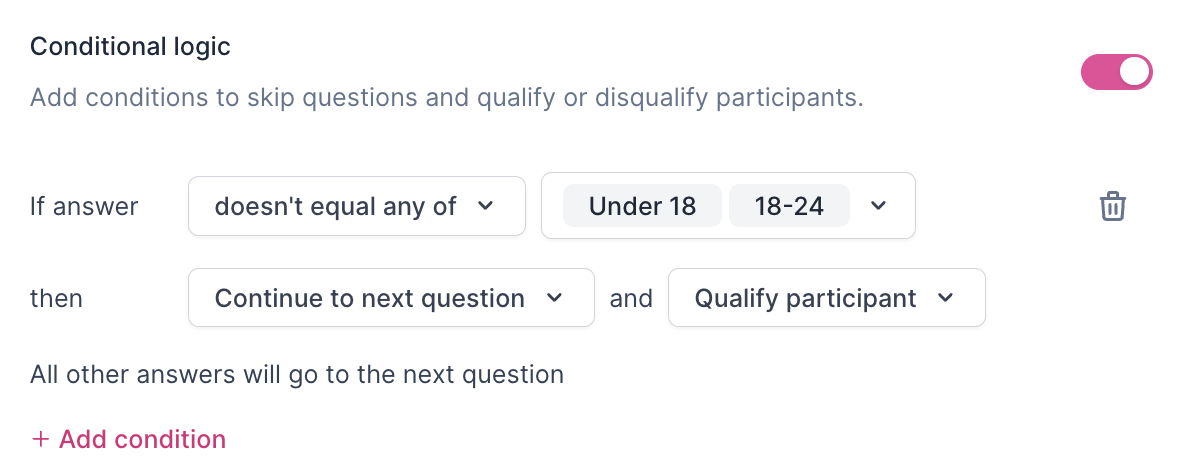
The conditional logic set up on screener questions must include the action "Qualify participant" at the end of relevant questions. If you've selected "Disqualify participant" or "No additional action" instead, the question responses won't auto-qualify.
In the qualification settings at the top of the Screener section of study setup, under Someone qualifies if they..., select "Complete screener without being disqualified" from the dropdown menu. If you've instead selected "Have a qualifying answer to specific questions," you must have conditional logic set up to qualify participants based on answers to relevant questions to auto-qualify.
To auto-disqualify participants, the conditional logic set up on screener questions must include the action "Disqualify participant" at the end of relevant questions. If you've selected "Qualify participant" or "No additional action" instead, the question responses won't auto-disqualify. (You have the option to "End screener" or "Continue to next question" without affecting disqualification.)