Email Sending Limits
Last updated: November 18, 2026
Email sending limits let admins cap how many study invitations each role can send per day. The limit applies per person, across all studies, so one teammate (or the Rally Agent acting for them) can't over-contact your participant pool in a single day. Every role is unlimited until you set a limit.
Setting limits requires the Create and modify workspace settings permission, included in the default Admin and Ops Manager roles. Teammates who can view workspace settings can see the limits but can't change them.
What counts toward the limit
Counts | Doesn't count |
|---|---|
|
|
Set daily invitation limits
Navigate to Settings > Email and select the Sending limits tab.
For each role, choose Unlimited or Limited. For Limited, enter the maximum invitations per person per day (1 or higher).
Select Save changes.
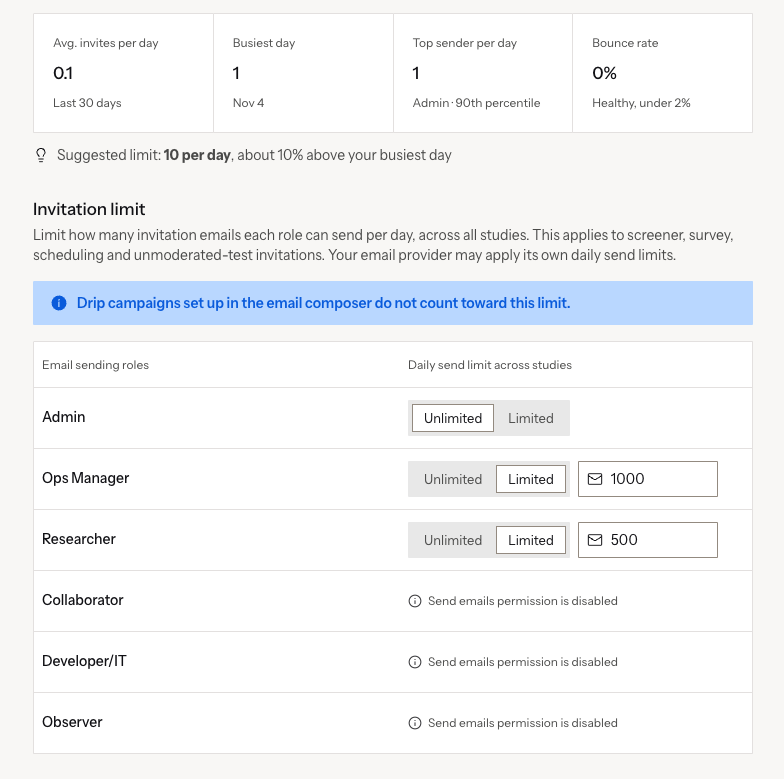
Roles without the Send emails permission show Send emails permission is disabled because their members can't send invitations.
Use your sending metrics to pick a limit
The top of the tab summarizes the last 30 days of invitations in your workspace: average invites per day, your busiest day, the top sender per day (with their role), and bounce rate. Rally also suggests a limit based on your busiest day.
What senders see
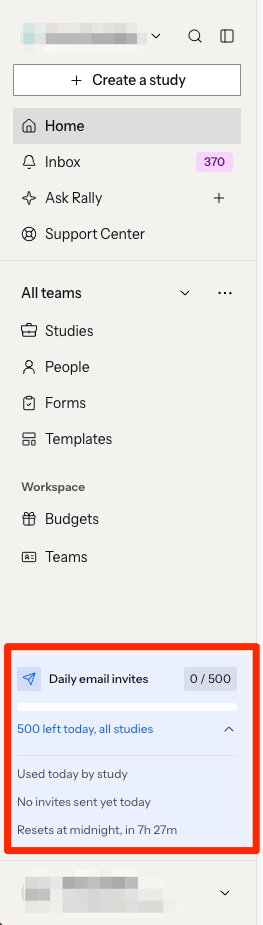
Sidebar: a daily invites meter with remaining invitations across all studies, a breakdown by study, and when the count resets.
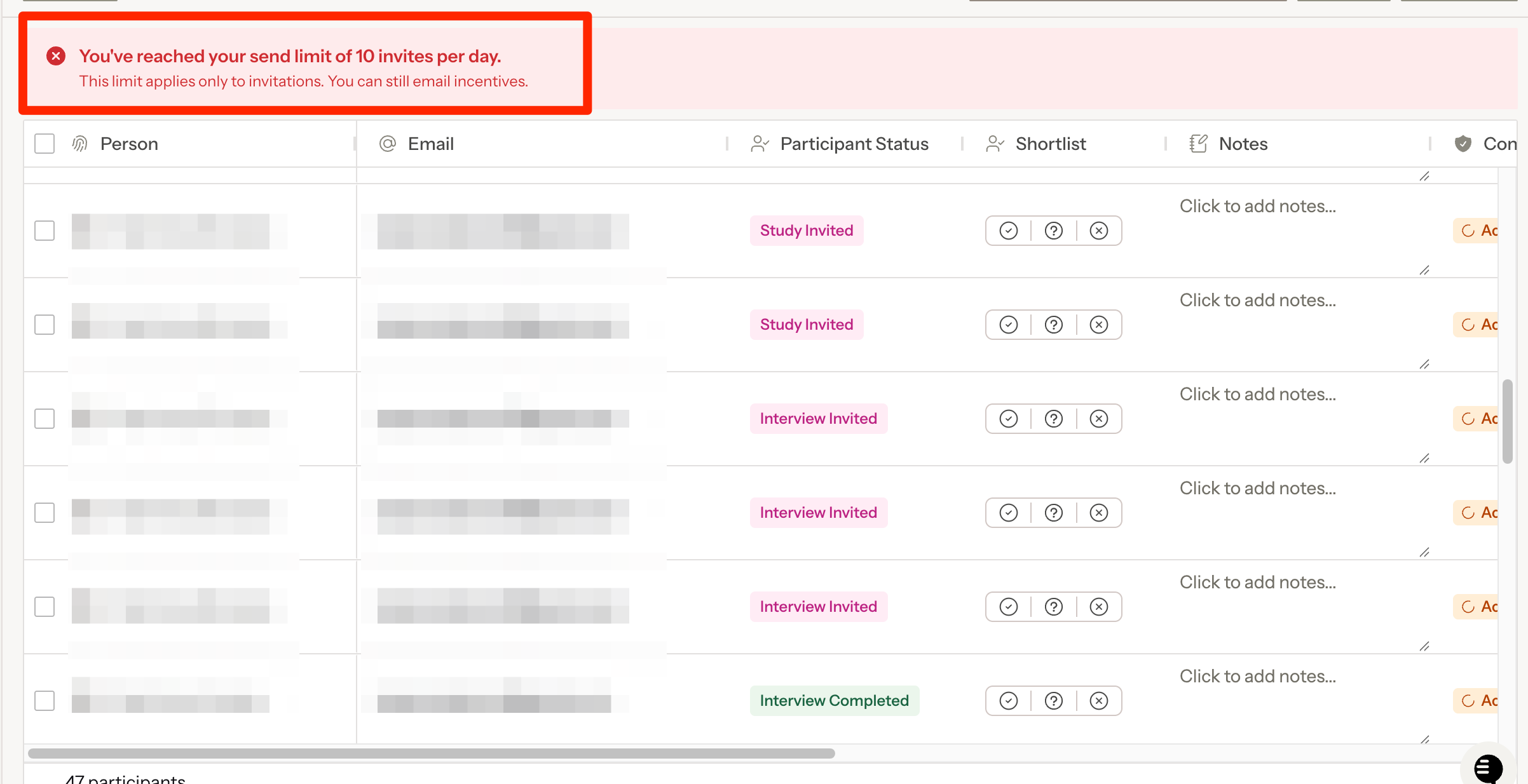
Participants table:
A banner when you select more people than you have left
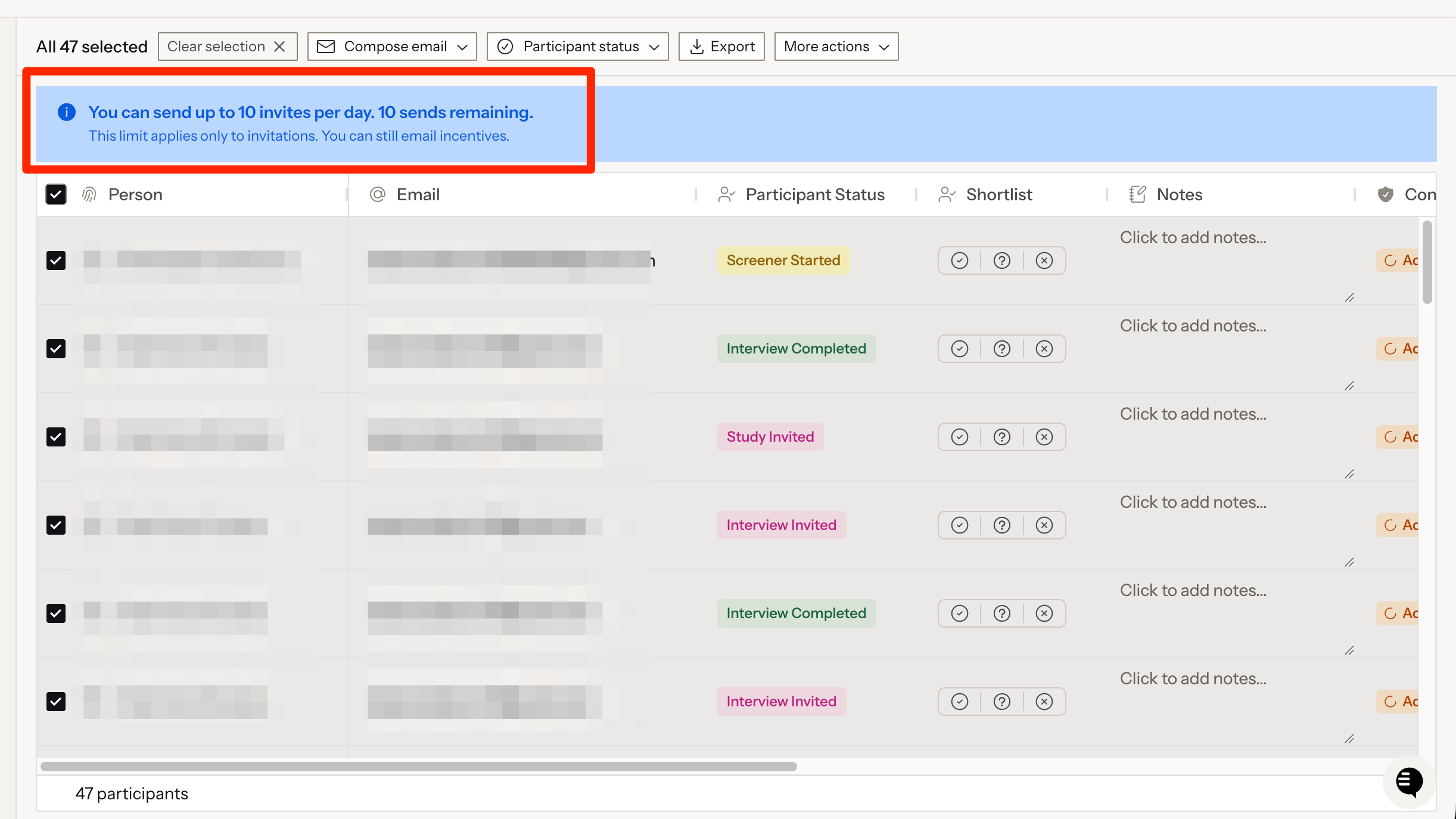
When you're running low
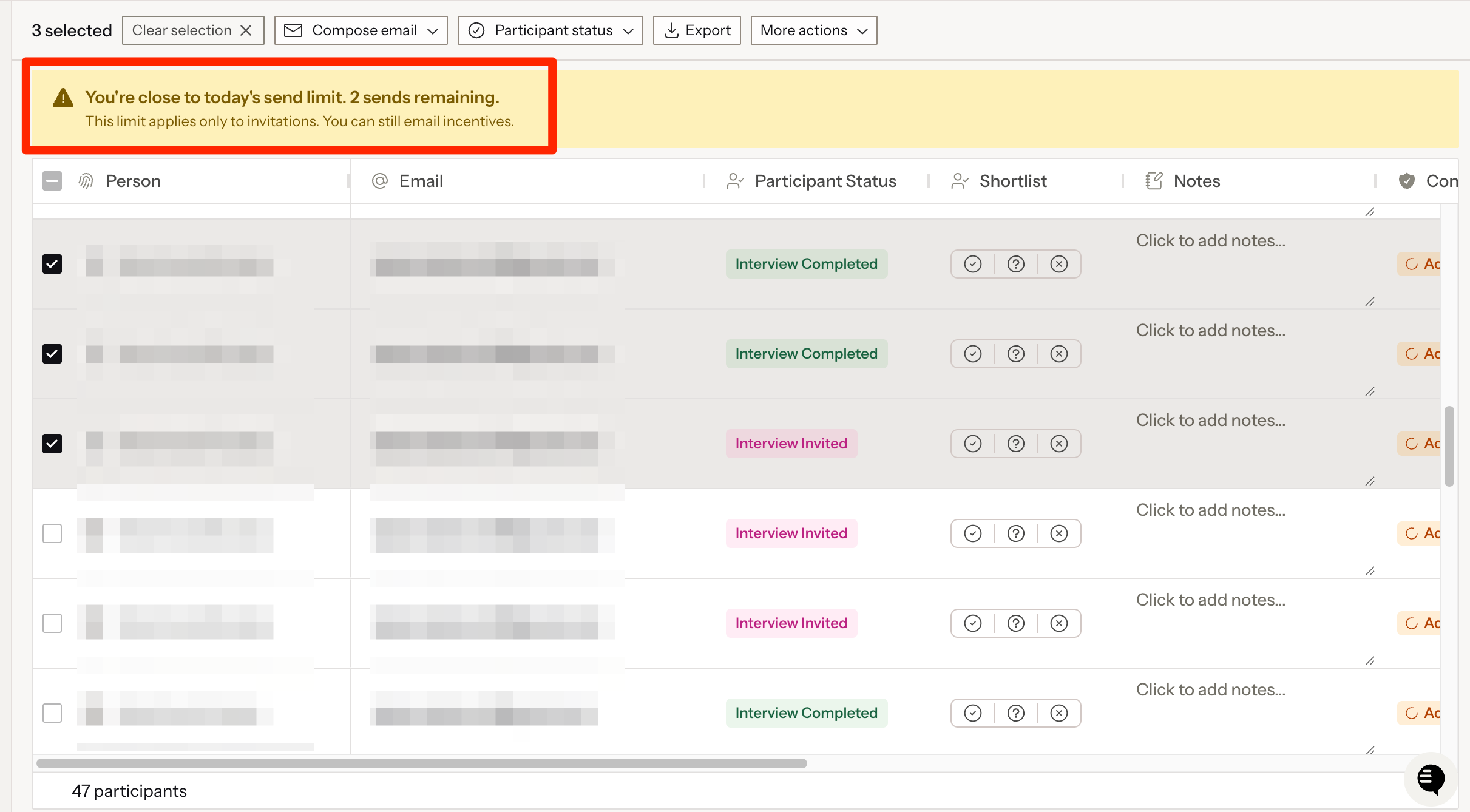
Or when you've reached your limit
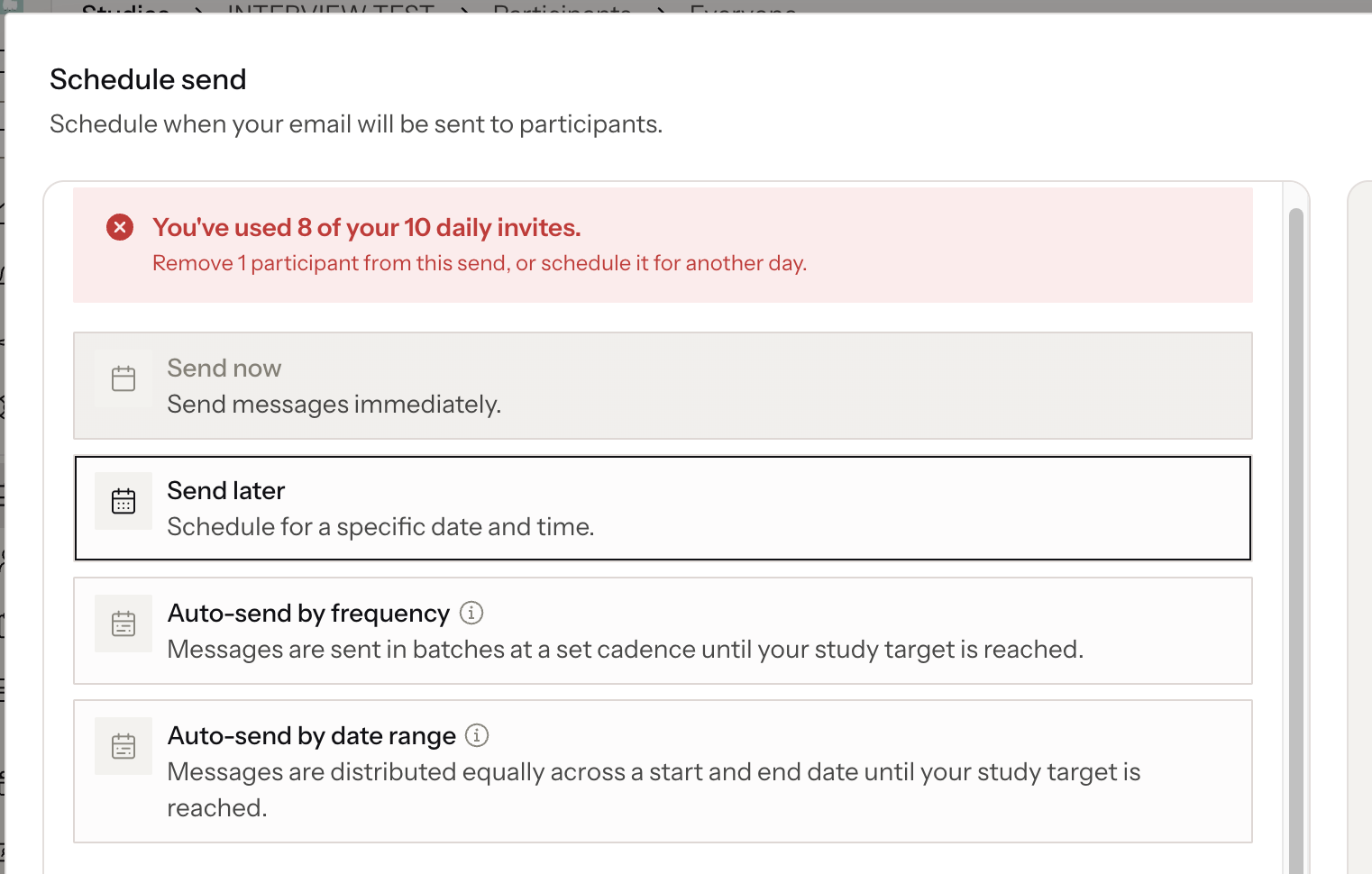
Send options: if a send doesn't fit today, Send now is unavailable and Send later is set to the first day with room. Full days are crossed out in the date picker. If you've selected more participants than your whole daily limit, remove some or split the send across days.
How the daily count works
The day resets at midnight in your workspace timezone.
Scheduled invitations count on the day they're scheduled to send. Deleting a scheduled send gives that allowance back.
Rescheduling, sending a scheduled email now, or resuming a paused study is checked against the new day. If that day is full, the change is blocked.
A bounced invitation still counts, since the email provider already accepted it.
Rally Agent and MCP
The same limit applies to invitations sent through the Rally Agent and Rally MCP. You can ask the agent how many invitations you have left (for example, "What is my remaining email allowance for today?").
If approving an outreach send would go over your limit, Approve is disabled. Remove participants, approve on another day, or ask another study owner to approve it, since the send counts against whoever approves.
Limits can only be changed in Settings.
FAQs
What happens if a user cancels a scheduled email send? Does that get reflected in their limits?
Yes, it’s reflected. Scheduled invites count against the day they’re scheduled for, and cancelling them gives that allowance back. Anything from that send that already went out still counts. Drip campaigns doesn’t count towards the limit at all.
What happens if an email bounces?
A bounced invite still counts as sent, because the email provider had already accepted it. Invites that fail before they ever reach the provider don’t count. A bounce doesn’t change anything else about the limit.
How is this different from governance study invitation limits?
Governance limits how often a participant can be invited. Sending limits cap how many invitations a teammate can send per day.
How is this different from the 700 emails per day limit?
Connected Google and Microsoft 365 accounts have a separate 700 per day limit set by the mailbox. Sending limits are a policy you set by role and apply whatever sender address is used.
Can I exempt one person?
Not today. Limits apply by role.