Email Footers
Last updated: October 22, 2026
Email footers are tied to the custom domain you’ve set up in Rally, allowing them to be automatically applied to all emails sent via Rally using that domain.
A custom domain must be set up to add a custom email footer. Each footer is associated with one domain. Emails sent from Rally's default sender address don't use a custom domain, so no footer is added to them. If a custom domain is deleted, its footer is deleted too.
These footers can include critical elements such as legal disclaimers, privacy notices, unsubscribe links, or personalized messaging, ensuring compliance with regulatory requirements and supporting organizational branding.
Meet legal requirements for email communications in regulated industries, minimizing operational risks.
Simplify workflows between research teams and legal/compliance departments, enabling smoother operations without blockers.
Custom footers strengthen brand trust, ensure legal compliance, and allow for personalized communication.
Create an email footer
Creating, editing, or deleting an email footer requires the Create and modify workspace settings permission. The Rally default roles Admin and Ops Manager include it.
In the top left corner of Rally, select your workspace name and select Settings.
Select Email Footers.
Select + New Footer.
Enter a name in the Footer Name field for easy identification.
Select the associated email domain (a custom domain is required).
Add your content in the Email Signature section choosing Simple or HTML
Choose Simple to type, edit and format font, upload an image, and add a link as linked text or a button.
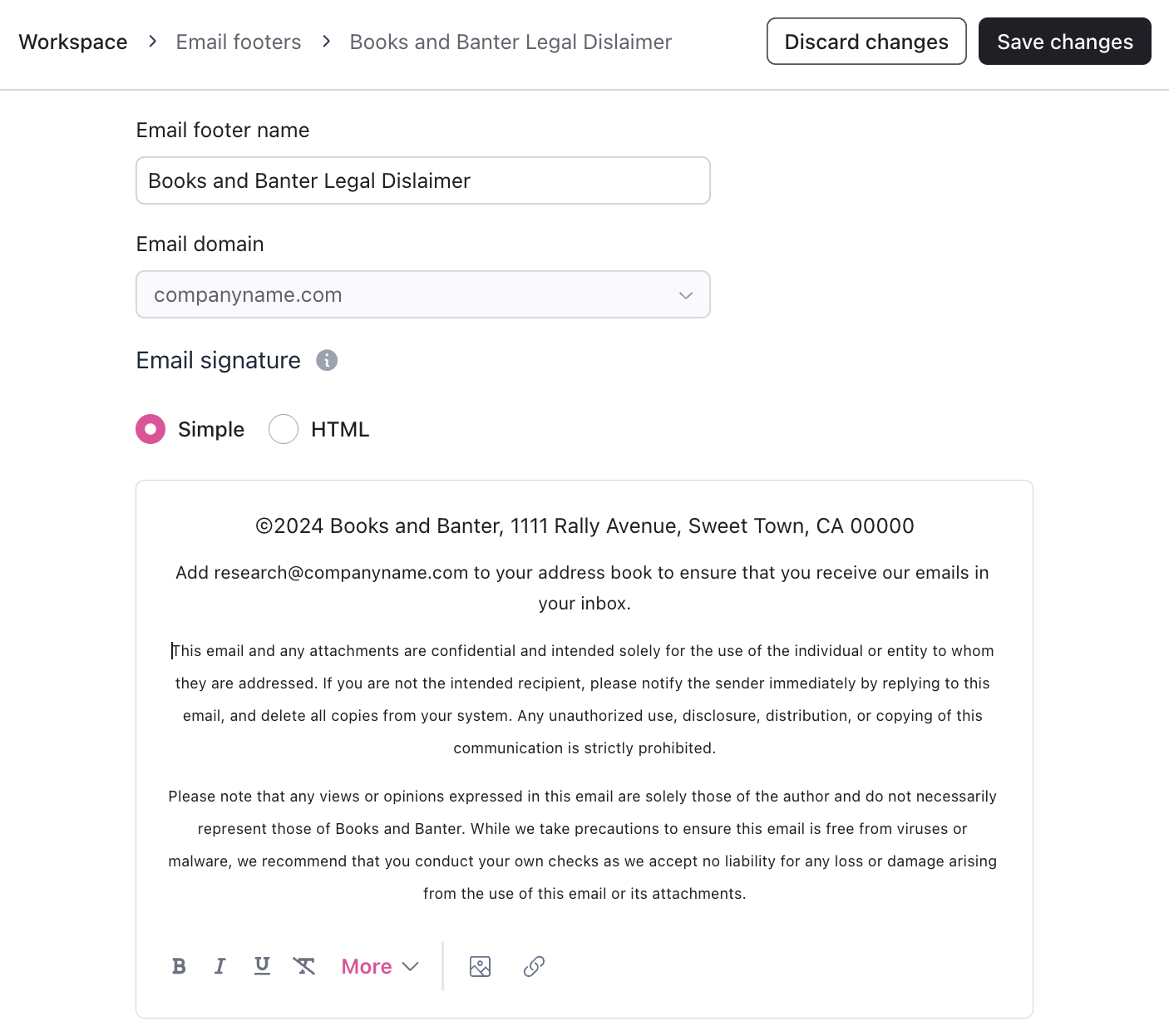
Choose HTML for further customization and preview your footer as you edit.
Select Save changes to complete.
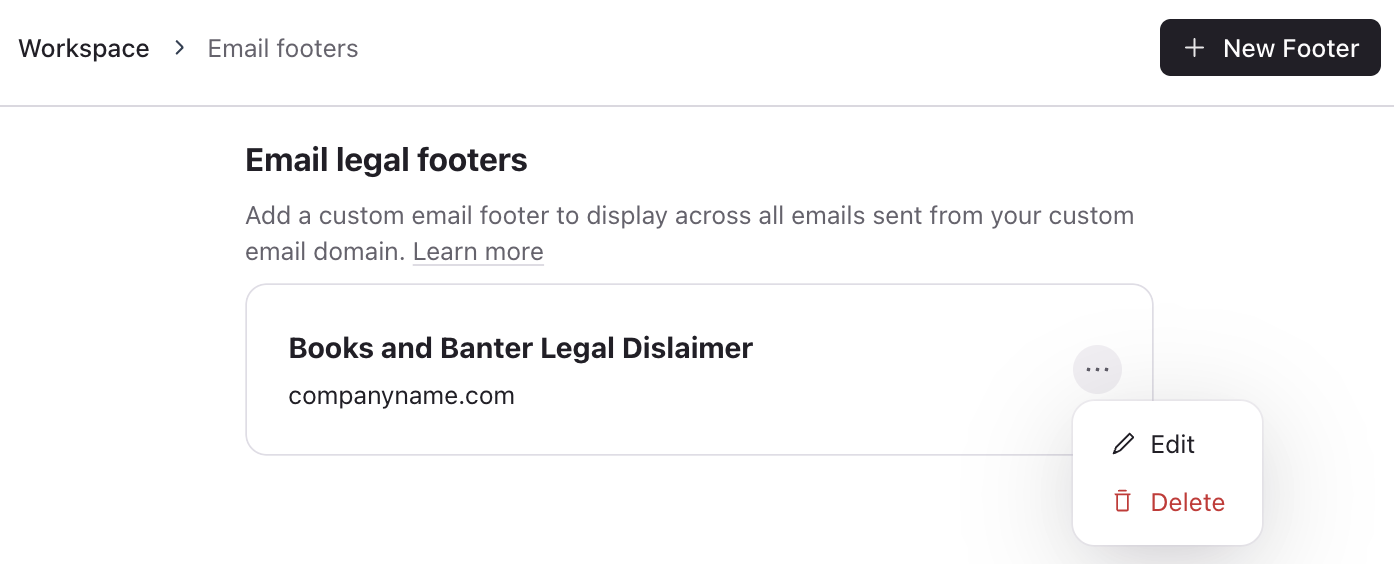
Once you save your email footer, it can be viewed and accessed from the Email Footers page in Settings. Select the three dots (…) to Edit or Delete it.
Once created, the footer is automatically added to the bottom of every email sent from a sender address on that domain.
The footer will be added to both branded and plain text emails.
Only one email footer can be created for each custom domain connected to Rally.
Domains that already have a footer are greyed out in the domain dropdown. If every domain already has a footer, the + New Footer button is disabled.
The footer will appear at the bottom of emails, following all other email elements.
Email hierarchy
Email body
Email signature (if enabled)
Rally unsubscribe link (if enabled)
Email footer
In branded emails, the footer appears below Rally's standard branded footer (copyright, company address, and unsubscribe link). If your workspace uses a custom email template, the footer appears only where you place the {{ legalFooterHTML }} token in the template. See Branding.