Manage Snowflake
Last updated: March 4, 2026
After the data sync integration is set up using the Connect Snowflake steps, easily manage and configure it to tailor the integration to your specific needs.
Manage the Snowflake integration
Managing Snowflake requires the "Modify data integration settings" permission. This includes the Rally default roles Admin, Ops Manager, and Developer/IT.
In the top left corner of Rally, select your workspace name and select Settings.
From the sidebar, select Integrations.
To the right of Snowflake, select Manage.
Select the connection you want to view, edit or manage to open it.
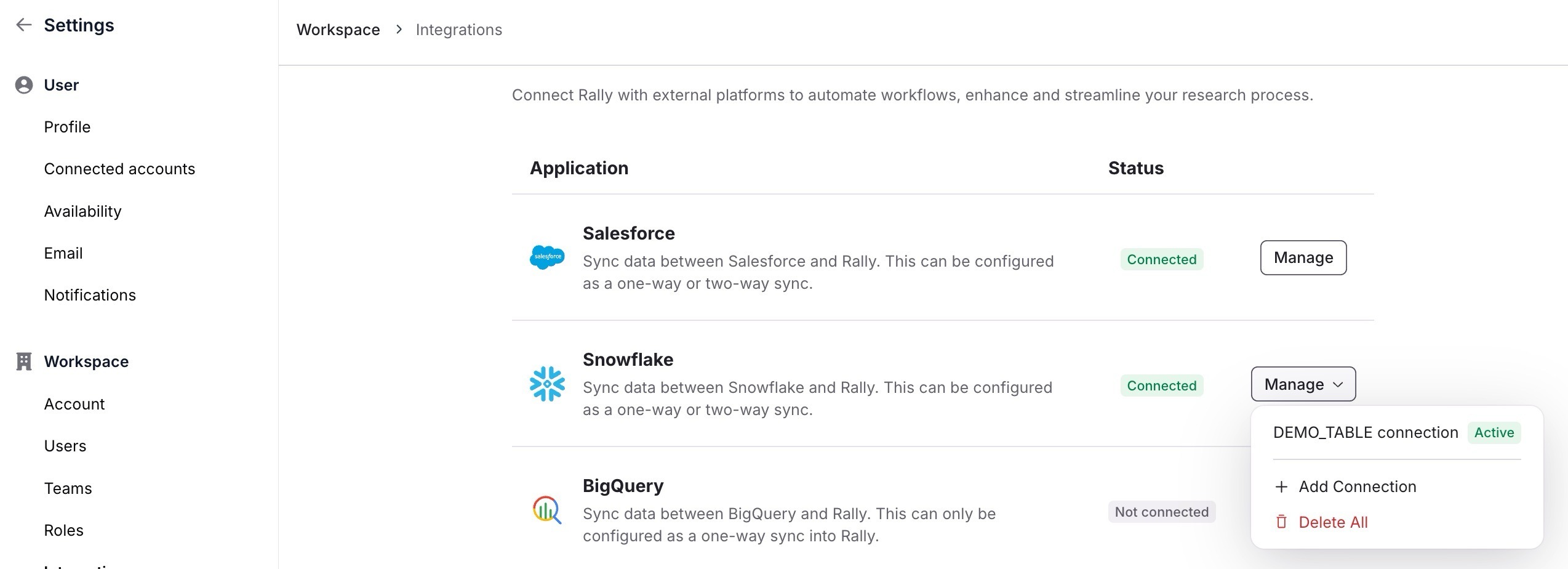
You can use Add Connection to set up a second connection (2 max) or Delete All to fully remove all Snowflake account connections.
Learn more about management options in the sections below.
Sync configuration
Update your sync configuration settings at any time to better fit your needs.
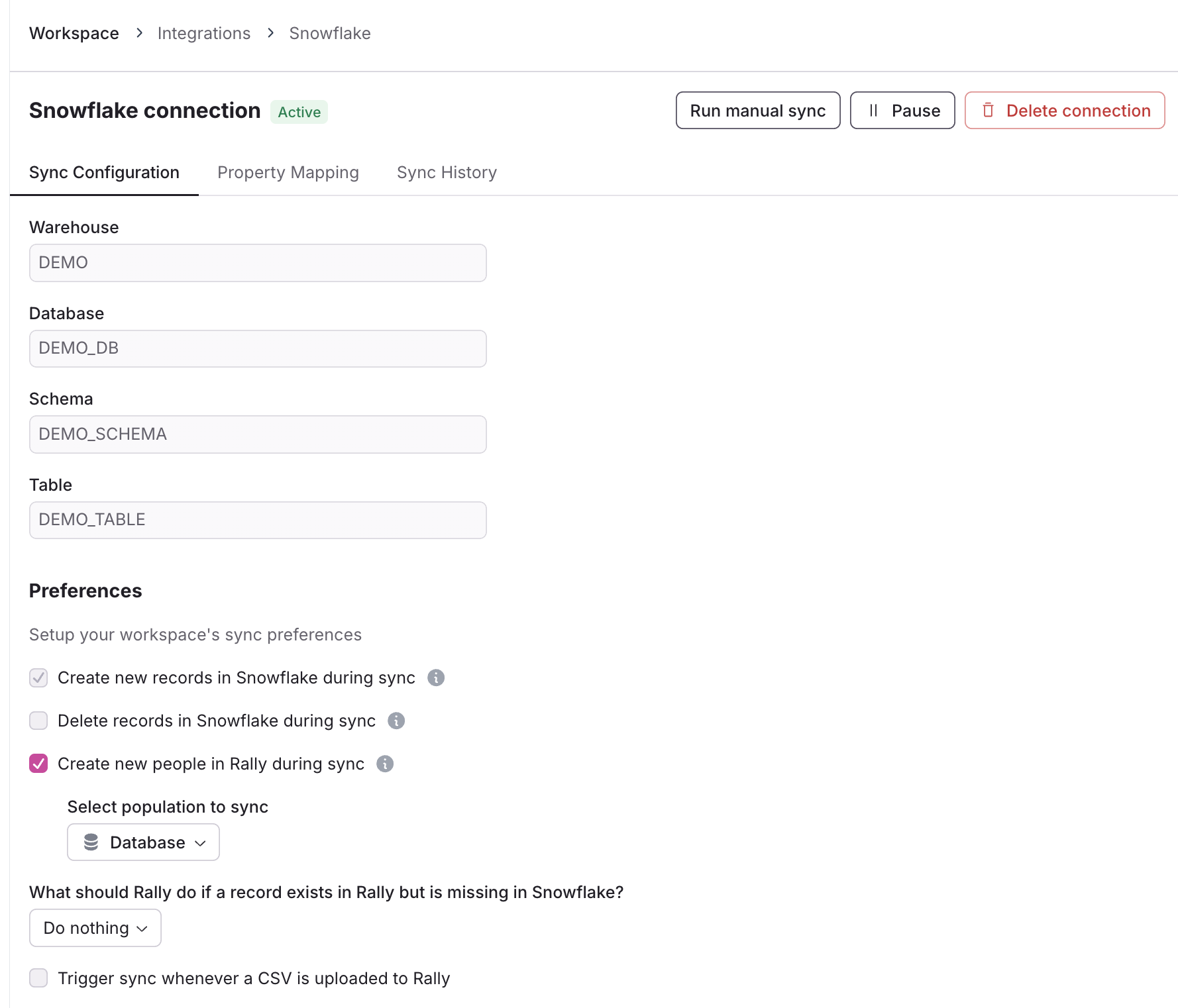
Create new records in Snowflake during sync
Always selected; if a Rally record isn't found in Snowflake using the person's identifier, a new Snowflake record will be created.
Only takes effect if one or more property mappings have sync direction Rally to Snowflake or Two-way.
Delete records in Snowflake during sync
If selected, any Snowflake records that don't exist / have a match in Rally (based on the person's identifier) will be deleted from Snowflake.
If enabled,
Create new people in Rally during syncpreference is disabled as we would delete external records in Snowflake if it does not exist in Rally.
Create new people in Rally during sync
If a Snowflake record isn't found in Rally using the person's identifier, a new Rally record will be created.
If enabled, select which Population to sync records to.
What should Rally do if a record exists in Rally but is missing in Snowflake?
When a person record exists in Rally but is missing in Snowflake (record was removed or deleted), you can determine what action Rally takes.
Do nothing
Opt out missing people in Rally
When selected, people missing from Snowflake will be marked as Opted Out in Rally so they cannot be contacted.
Delete missing people in Rally
When selected, people missing from Snowflake will be completely deleted from Rally, and all their historical data from Rally removed.
Trigger sync whenever a CSV is uploaded to Rally
When enabled, Rally will automatically trigger a sync any time a .csv file is uploaded to auto-fill missing data from Snowflake, so a researcher uploading a list of participants can be sure they get the latest, most complete participant records without the extra work.
Contact Rally to get this feature.
The preference to automatically "delete people in Rally if deleted in Snowflake" is hidden by default to avoid active or historical participants accidentally being deleted from Rally. Contact Rally to enable.
Property mapping
Add, update, or remove property mappings between Snowflake and Rally and configure their sync directions and conflict resolution setting.
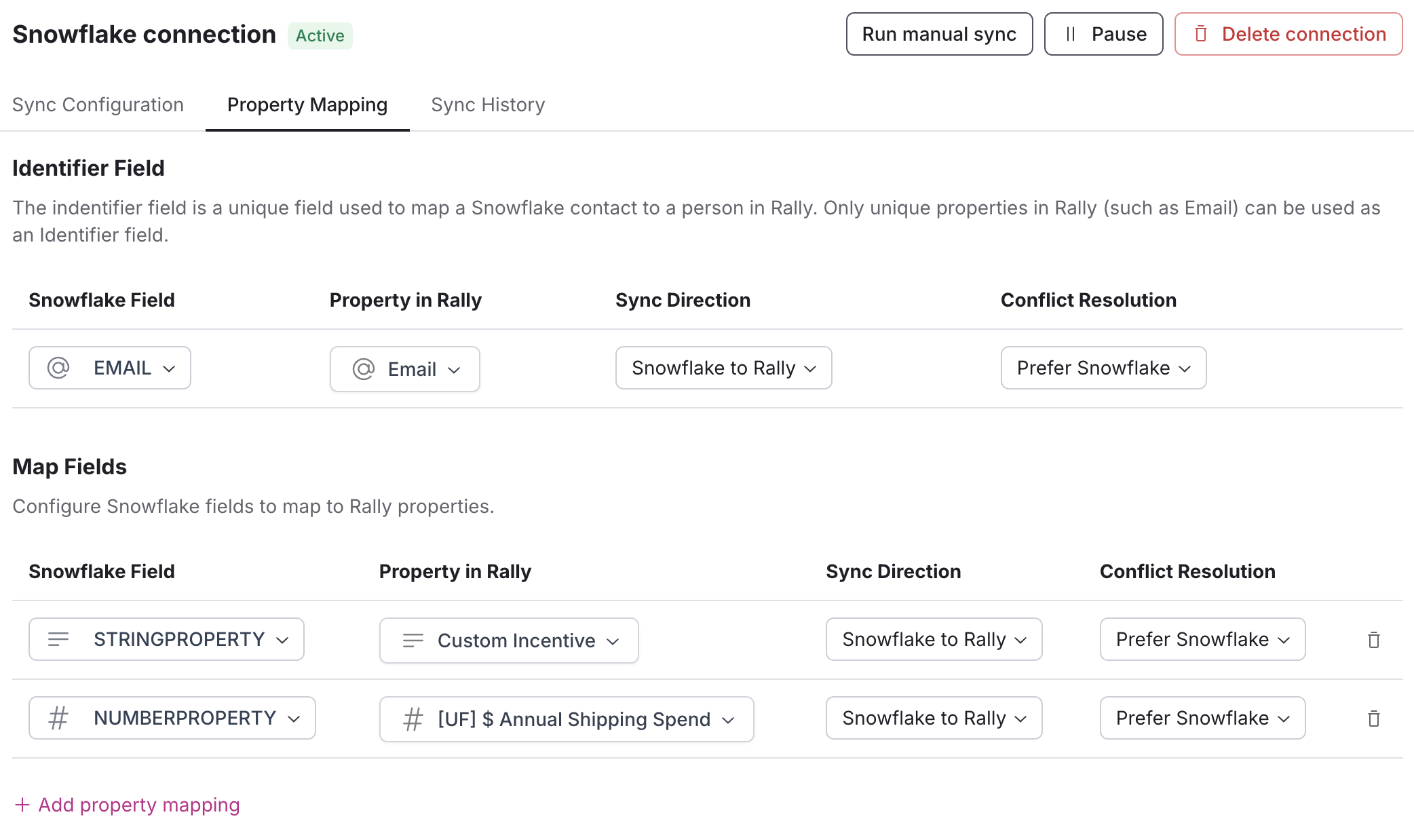
The Identifier Field is a unique string field used to map a Salesforce contact to a person in Rally. Only Unique Properties in Rally (such as email or username) can be used as an identifier field.
Within the Snowflake integration, select the Property Mapping tab.
Select + Add property mapping to map a Snowflake field to a Rally property.
Select the desired Snowflake Field and the property in Rally to map it to.
Set the Sync Direction: Two Way, Snowflake to Rally, or Rally to Snowflake.
Set the Conflict Resolution: Prefer Snowflake, Prefer Rally, or Last Updated.
Repeat the steps for any additional fields to map and update as needed.
Select the trash icon if you need to to delete a property mapping.
Rally currently supports mapping the following field types from Snowflake to Rally:
Snowflake Field Type | Rally Field Type |
ARRAY | multi-select* |
checkbox | |
number | |
text; single-select* | |
TIMESTAMP_NTZ, TIMESTAMP_TZ, TIMESTAMP_LTZ, TIMESTAMP, DATE | date |
*We only map up to 100 unique options per single- or multi-select property.
Sync direction
Snowflake to Rally
This will sync data from Snowflake to Rally using the Identifier Field to find people in Rally. The sync will use the value from Snowflake to set the value in Rally.
If a value for this Property already exists in Rally, it will be overwritten by the value in Snowflake.
If a value was deleted or removed in Snowflake, it will be removed in Rally.
Rally to Snowflake
This will sync data from Rally to Snowflake using the Identifier Field to sync with people in Rally. The sync will use the value from Rally to set the value in Snowflake.
If a value for this Property already exists in Snowflake, it will be overwritten by the value in Rally.
If a value was deleted or removed in Rally, it will be removed in Snowflake.
Two-Way
This will sync data between both Snowflake and Rally using the Identifier Field to find people in Rally. This will update data in both Snowflake and Rally depending on the most recently updated Property.
For example: If Two-Way sync was set on the First Name Property, when a First Name is updated in Rally, it will be updated in Snowflake on the next sync. Then, if that First Name was later updated within Snowflake, it will be updated in Rally on the next sync.
If a value for this Property already exists in Rally or Snowflake, it will be overwritten by the most recently updated value for that Property.
If a value was deleted or removed in Rally or Snowflake, it will be removed in Rally or Snowflake.
Sync history
View a table of all prior syncs to see how many people had data updated during each sync.
The # updated refers only to rows that have changed
A sync occurs when data in Snowflake differs from what’s stored in Rally, and may result in records being created, updated, or deleted.
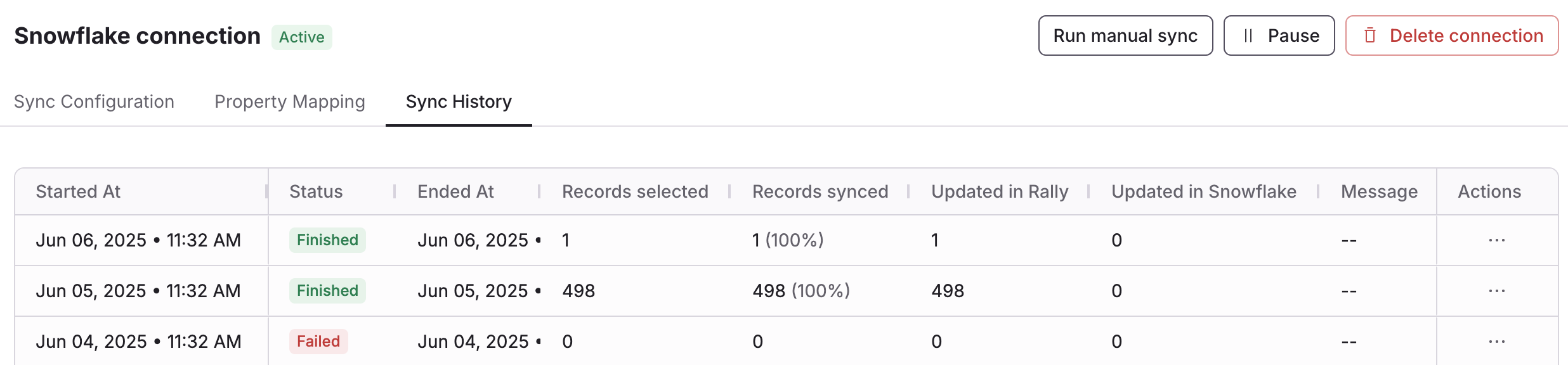
Check the status column to see if daily syncs are successful or not. If syncs are failed or canceled, contact Rally to learn more about why and how to resolve it.
Start or stop syncs

Run Manual Sync
Kick off a sync immediately, rather than waiting for the next 24 hour interval, by selecting Run Manual Sync.
Pause or Resume Syncs
Pause your data from syncing between Rally and Snowflake until you select Resume.
Delete Connection
Delete Connection will disconnect Rally and Snowflake, prevent any more syncs from occurring, and remove all property mapping configurations.